
OnlyFans subscriptions renew on a fixed billing cycle, which means the moment you click cancel matters far less than most people assume. The platform keeps your access running until the paid period you already bought expires. This guide treats cancellation as a calendar problem, not a panic button, and shows how BestOnlyFans readers can line up exit dates with real budget cycles instead of guessing. BestOnlyFans refreshes its rankings every month.
The core mechanic is simple: canceling stops the next charge, not the current access window. Once you understand that, every decision becomes about dates rather than urgency.

How OnlyFans Cancellation Actually Works
When you cancel a paid subscription, the platform disables auto-renewal for that creator. Nothing is refunded, because nothing is owed — you already paid for the current period. Your access continues at full strength until that period runs out.
This is different from deleting your account, which removes everything immediately and forfeits any remaining paid time. It is also different from simply toggling renewal off, since on most accounts that toggle is the same action as canceling.
| Action | Immediate Effect | Access Duration |
|---|---|---|
| Cancel subscription | Auto-renewal disabled | Until the paid period ends |
| Disable auto-renewal only | Same as canceling on most accounts | Until the paid period ends |
| Delete account entirely | Profile and messages removed | Ends immediately, no refund |
Because the platform takes a 20% fee and the creator keeps 80%, there is no partial refund path tied to early cancellation. The money moved at charge time.
A practical consequence: canceling on day one of a 30-day cycle gives you 29 more days of access for the same money as canceling on day 29. The only difference is peace of mind about the next charge.

Calendar Math: Finding Your True End Date
Your true end date is not the day you cancel. It is the day the current billing period closes. To find it, you need three data points: the original charge date, the cycle length, and the renewal hour.
Start by opening your subscription list and checking the date the last payment posted. Most cycles run monthly, but promotional periods can be shorter. Add the full cycle length to that date, not to your cancellation date.
Timezone matters here. Renewals usually fire in a fixed hour tied to the platform’s clock, which may not match your local midnight. A subscription that renews at 03:00 UTC can charge you while you sleep.
- Locate the subscription start timestamp in your billing history.
- Identify the billing cycle length — monthly for standard plans, shorter for some promotions.
- Add one full period to the start date to get the true expiration date.
- Set a personal reminder 48 hours before that expiration so you can decide whether to stay or exit.
Tip: screenshot your subscription list on the day you cancel. If a charge appears later, that image is the fastest evidence that auto-renewal was already off when the billing date arrived.
That 48-hour buffer does two things. It gives you time to re-subscribe if you change your mind before losing access, and it exposes any renewal that fired despite your cancellation.
Cancellation Timing Scenarios Compared
Timing changes two variables: how much access you keep and whether a renewal can slip through. The scenarios below assume a standard monthly cycle at a base price between $4.99 and $49.99.
- Immediate cancellation, full period remaining: you keep every remaining day and remove all renewal risk. This is the safest default.
- Last-day cancellation: access is identical, but a slow interface, a failed save, or a timezone mismatch can let the charge fire first.
- Mid-cycle cancellation for budget reasons: useful when you want to free up next month’s money without losing this month’s content.
- Pre-promotion expiration alignment: if a $3 first month is ending, canceling early prevents an automatic jump to the normal base rate.
- Post-promotion rate lock evaluation: staying past the promo means paying full price, which is usually $4.99 to $15 in typical ranges.
| Timing | Access Retained | Renewal Risk |
|---|---|---|
| Immediate (day one) | Full remaining period | None after save confirms |
| Mid-cycle | Remaining half of period | Low |
| Pre-renewal (24-48h before) | One or two days | Moderate if the save fails |
| Post-renewal | New full period | Already charged |

The comparison shows why early cancellation is almost always the better calendar move. You give up nothing except the ability to be charged again without thinking about it.
Aligning Exit Dates With Monthly Budgets
Subscribers who follow several creators often end up with staggered renewal dates spread across the month. That pattern makes spending hard to track and easy to overrun.
A cleaner approach is to treat exits like any other recurring cost and schedule them deliberately. The goal is to know, at the start of each month, exactly which subscriptions are active.
- Cluster exits at month start: cancel everything you do not want before the first, so the month opens with a known list.
- Distribute across pay periods: if you are paid twice monthly, align renewals you want to keep with the paycheck that covers them.
- Align with credit card cycles: matching charges to a statement period makes the total visible on one bill.
- Coordinate with other discretionary spending: treat subscriptions and pay-per-view unlocks as one bucket, since PPV can reach $50 per message.
Paid chat is another line item that behaves like a subscription in practice. At $3 to $5 per message, a short conversation can cost more than a base subscription, and tips can reach $100.
Ranking and review sites exist precisely because the platform has no built-in discovery feed. That is the gap BestOnlyFans tries to fill by tracking pricing patterns across accounts rather than individual creator promotions.
If you compare options across platforms, the best only fans site comparisons usually focus on price transparency, which is the same discipline that makes exit timing work.
The Auto-Renewal Trap and Prevention
Most “I canceled and still got charged” cases trace back to one of five mechanical failures. None of them require malice — they are interface and timing issues.
- App versus web interface differences: the mobile view sometimes hides the renewal toggle behind a settings submenu.
- Cached session persistence: a stale page can show an old renewal state after you already changed it elsewhere.
- Promotional period confusion: a discounted first month may renew at the standard base rate without a second confirmation.
- Card update triggering reactivation: adding a new payment method can restart billing on subscriptions you believed were off.
- Timezone renewal hour mismatches: a charge can post before your local calendar day begins.

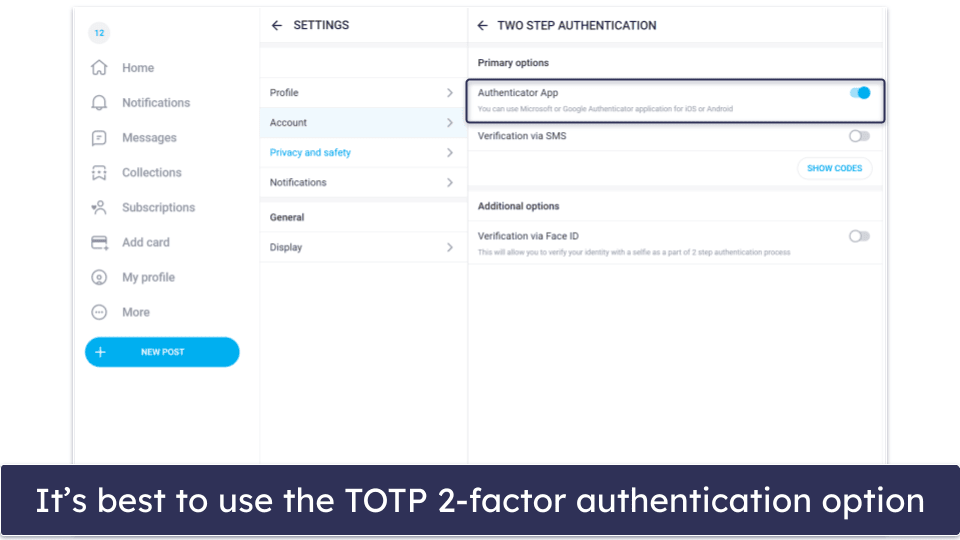
Prevention is straightforward. Turn on two-step authentication so nobody else can alter your billing state, and re-check the subscription list 24 hours after any change.
Phishing is a related risk worth understanding, since fake login pages are a common way accounts and payment details get compromised. Reading up on phishing takes ten minutes and covers the patterns you will actually see.
When a creator raises the base price, auto-renew stops automatically. Existing access continues until the paid period ends, so a price change is not a reason to panic-cancel.
Re-Entry Timing and Promotional Loss
Leaving and rejoining is a separate calculation from canceling. The question is whether the first-month promotional rate returns when you come back.
In most cases, promotional pricing is tied to a new-subscriber condition. Once you have subscribed, that condition is used up, and rejoining lands you at the standard base rate.
- First-month promotional eligibility reset: usually does not reset simply because time passed.
- Creator-specific return policies: some accounts run win-back offers through messages, which is the main way a low rate returns.
- Price change exposure during absence: the base price may have moved from $4.99 to a higher point while you were gone.
- Content archive access gaps: posts published during your absence may sit behind pay-per-view rather than in the standard feed.
Free pages behave differently. They set the base price to $0 and earn through PPV messages and tips, so leaving and returning costs nothing on the subscription line itself.

Platform growth changed the economics here. As the subscriber base expanded, creators gained more room to hold base prices steady instead of discounting on re-entry.
Cancellation Verification and Documentation
Verification is the step most people skip. Confirming the cancellation immediately, and again a few days later, prevents almost every billing surprise. Check three places: the confirmation email, the subscription list inside your account, and your payment method’s pending charges. If all three agree, the cancellation is real.
Keep the confirmation email. If a charge appears anyway, that message plus a screenshot of the subscription list is enough to start a refund request through support. Card verification is a related detail worth knowing. A $0.10 hold is placed when a card is added and refunded within days, so a small pending amount is not a subscription charge.

The growth timeline above shows how quickly the platform matured. That maturity is why billing mechanics are now consistent enough to plan around rather than guess at.
Once your documentation is in order, exit timing stops being stressful. You are managing dates, not fighting a system.
FAQ
If I cancel immediately, do I lose access right away?
No. Canceling disables auto-renewal, and your access continues until the current paid period expires. You keep every remaining day you already paid for.
How do I find my exact subscription end date?
Open your billing history, note the last charge date, and add one full billing cycle. Then check the renewal hour and convert it to your local timezone to get the precise expiration moment.
Can I cancel after a promotional first month and keep the low rate later?
Generally no. Promotional pricing usually applies only to the first subscription period, and rejoining later typically lands at the standard base rate of $4.99 or higher.
Why did OnlyFans charge me after I thought I canceled?
Common causes include a save that did not register, a cached page showing stale settings, adding a new card, or a renewal firing in a different timezone hour than expected. Verify the subscription list 24 hours after canceling.